The Easiest Way to
Manage Chess Coaching

ChessBooker gives chess coaches a complete platform to manage bookings, recurring lessons, homework, and payments — while giving students a seamless experience from booking to recap.

GM

GM Alex Fischer

Lichess 2450 • Chess.com 2380 • Verified

Select Lesson Type
Opening Workshop

60 min • Sicilian Defense

$45
Full Game Analysis

90 min • Your games reviewed

$65
January 2025
Mo
Tu
We
Th
Fr
Sa
Su
1
2
3
4
5
6
7
8
9
10
11
12
13
14
Available Times
9:00 AM
2:00 PM
5:00 PM

Booking Confirmed!

Friday, Jan 10 at 2:00 PM

60 minute lesson
Confirmation sent
Added to calendar
Integrates with

For Students

A seamless experience from booking to recap.

Book a lesson in minutes

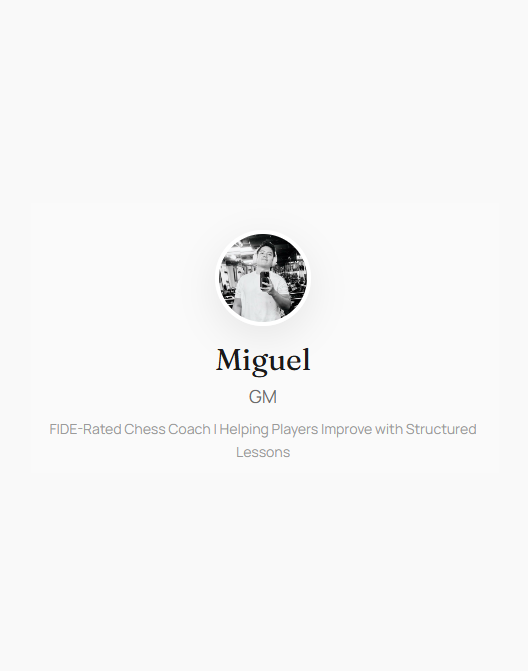
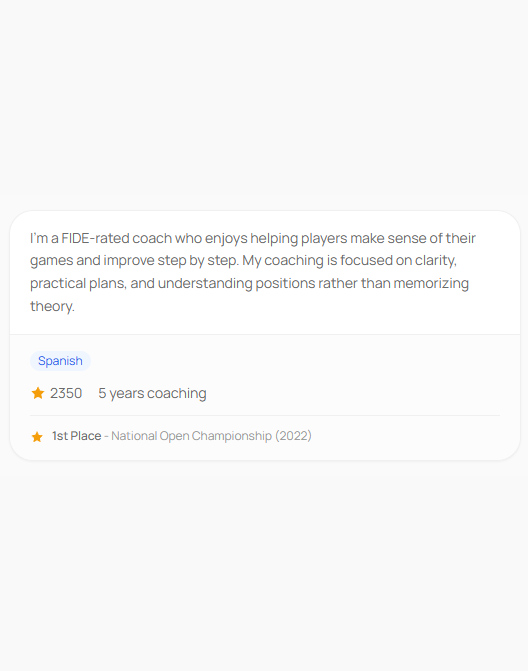
Each coach has a public booking page. Students see your profile, rates, and available times — all in one place.

  • View coach profile and lesson overview
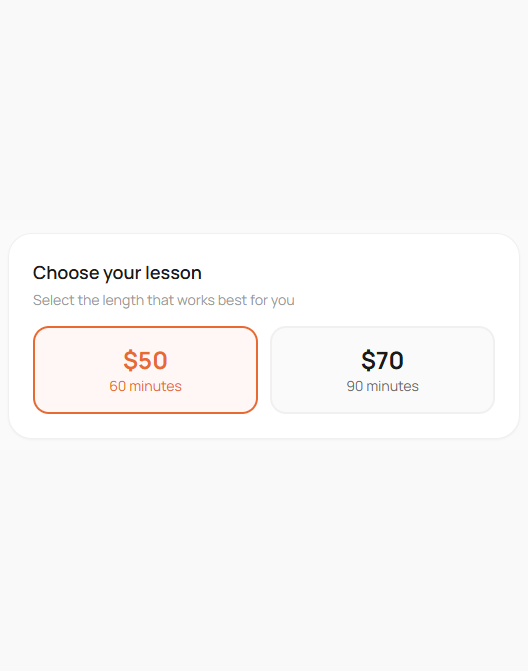
  • Choose lesson length and pricing
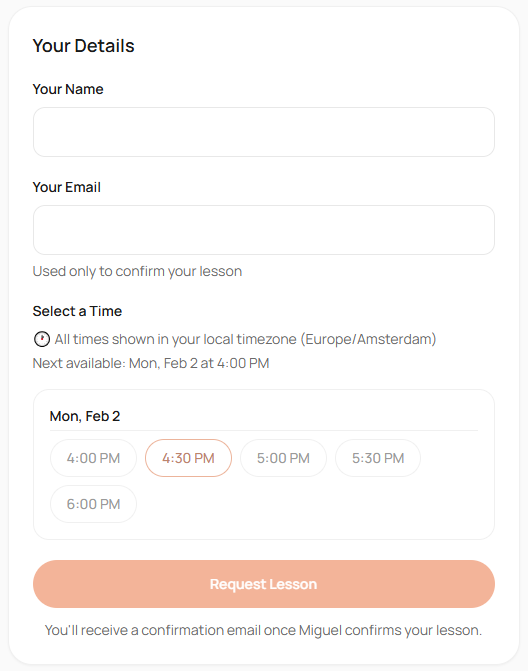
  • Enter name, email, and optional notes
  • Pick a time in your timezone

No account required. Once confirmed, students receive an email with all the details and a "Join lesson" button when it's time.
Your own Student Hub

After their first lesson, students get a personal dashboard — no app download needed, just a magic link sent to their email.

  • View upcoming lessons and join with one click
  • Track homework assigned by your coach
  • Review past lessons, notes, and recaps
  • Request reschedules from available times
  • Manage pending requests in one place

Students log in with a magic link — no password needed. Everything stays organized and accessible.

Welcome, Sarah

Your upcoming lessons and homework

Opening Workshop Tomorrow, 2:00 PM
Confirmed
Practice Sicilian lines From GM Alex Fischer
To do
Endgame Analysis Recap available
View recap
For Coaches

Run your coaching practice with full control — from one-off bookings to recurring series.

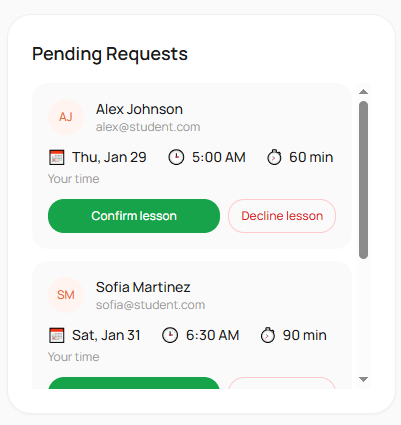
Review pending requests

When a student requests a lesson, it appears in your dashboard. You decide whether to confirm or decline.

  • See student details and requested times
  • Confirm with one click
  • Decline if the time doesn't work
  • Students are notified either way
Pending request with student info and action buttons

Automatic meeting links

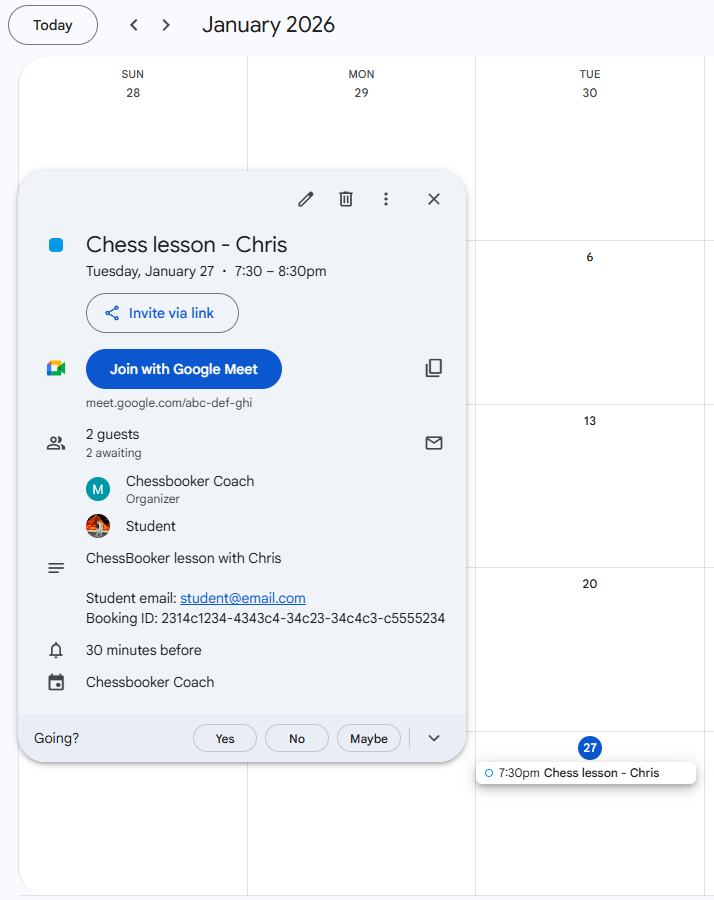
When you confirm a lesson, ChessBooker creates a Google Calendar event with a Google Meet link automatically. No extra steps.

Not using Google? Enter your own Zoom, Discord, or other meeting link when confirming.

  • Google Calendar + Meet created automatically
  • Manual link option for Zoom, Discord, or others
  • Meeting link visible to both you and the student
Confirmed lesson with Google Meet link attached

Set up recurring lessons

For regular students, create a recurring lesson series. ChessBooker generates bookings automatically on a weekly or biweekly schedule — no manual re-booking needed.

  • Weekly or biweekly recurrence
  • Auto-generates upcoming bookings
  • Pause, resume, or cancel a series anytime
  • Calendar events and meeting links created automatically
Active

Weekly lesson with Sarah

Every Tuesday at 3:00 PM · 60 min

Jan 14 Completed
Jan 21 Completed
Jan 28 Confirmed
Feb 4 Upcoming

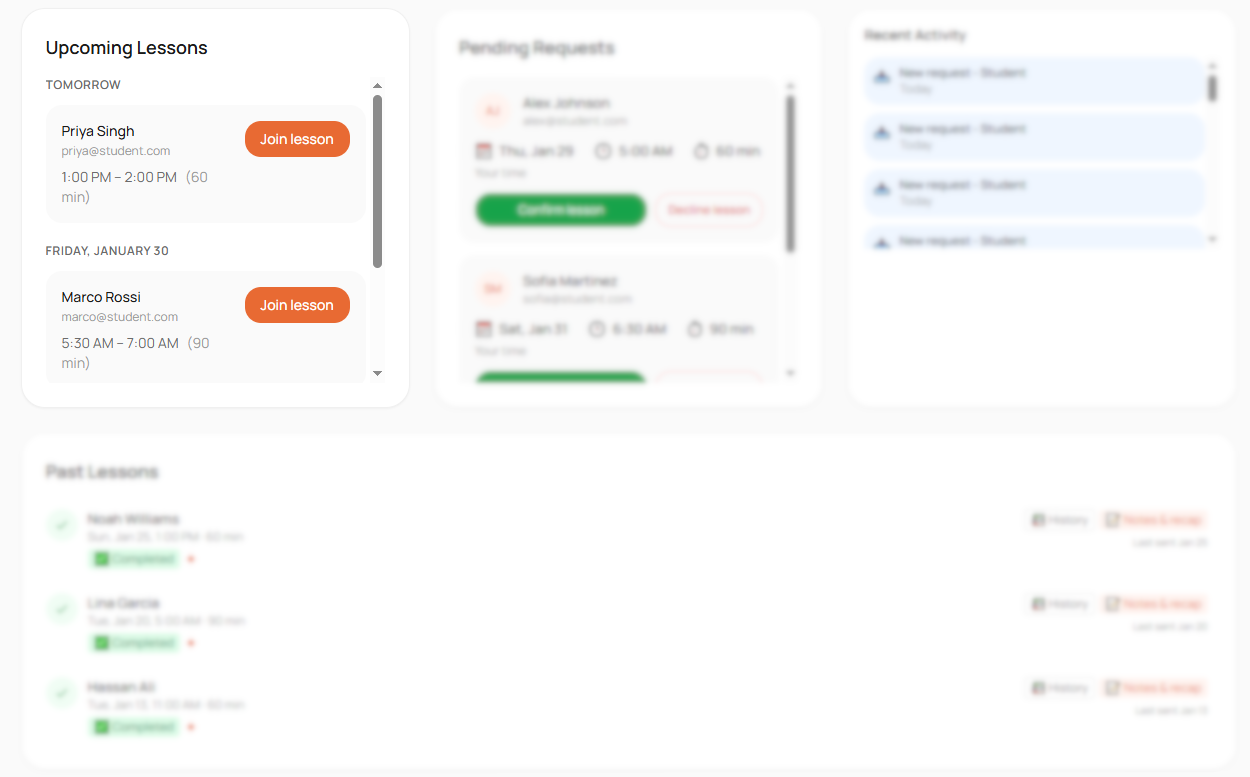
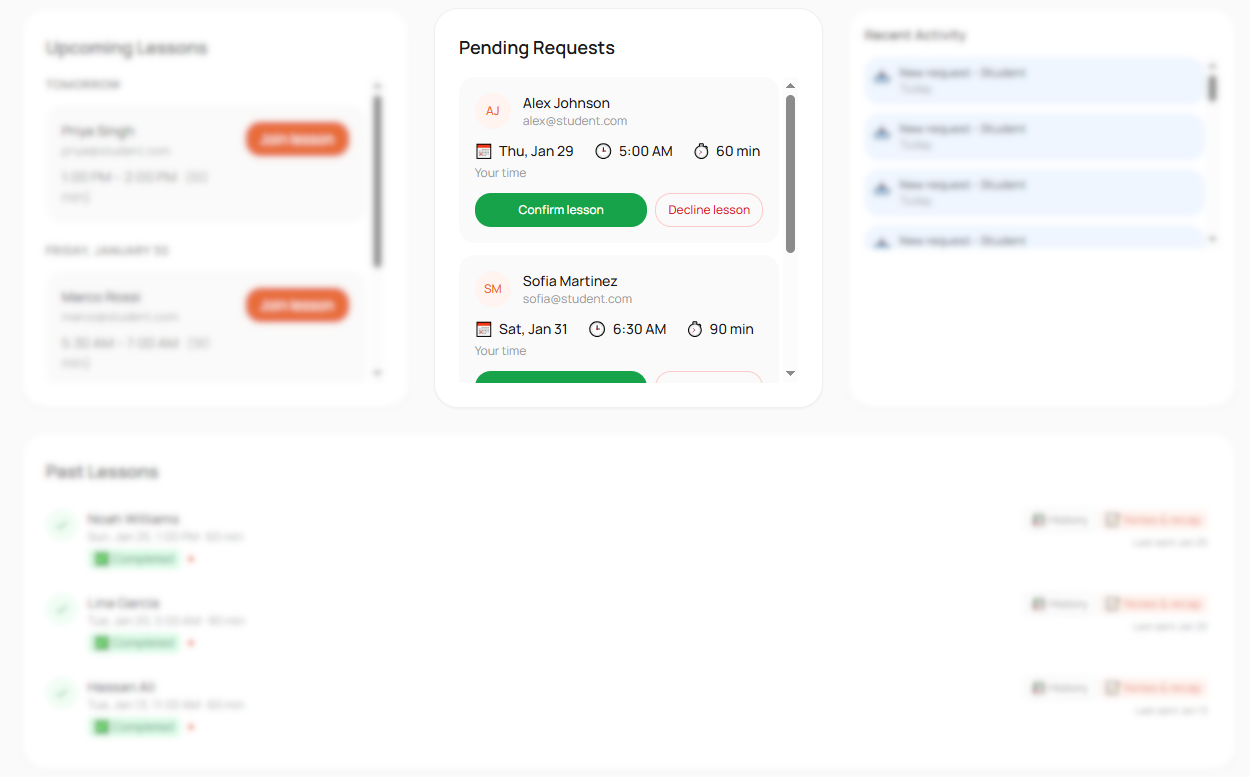
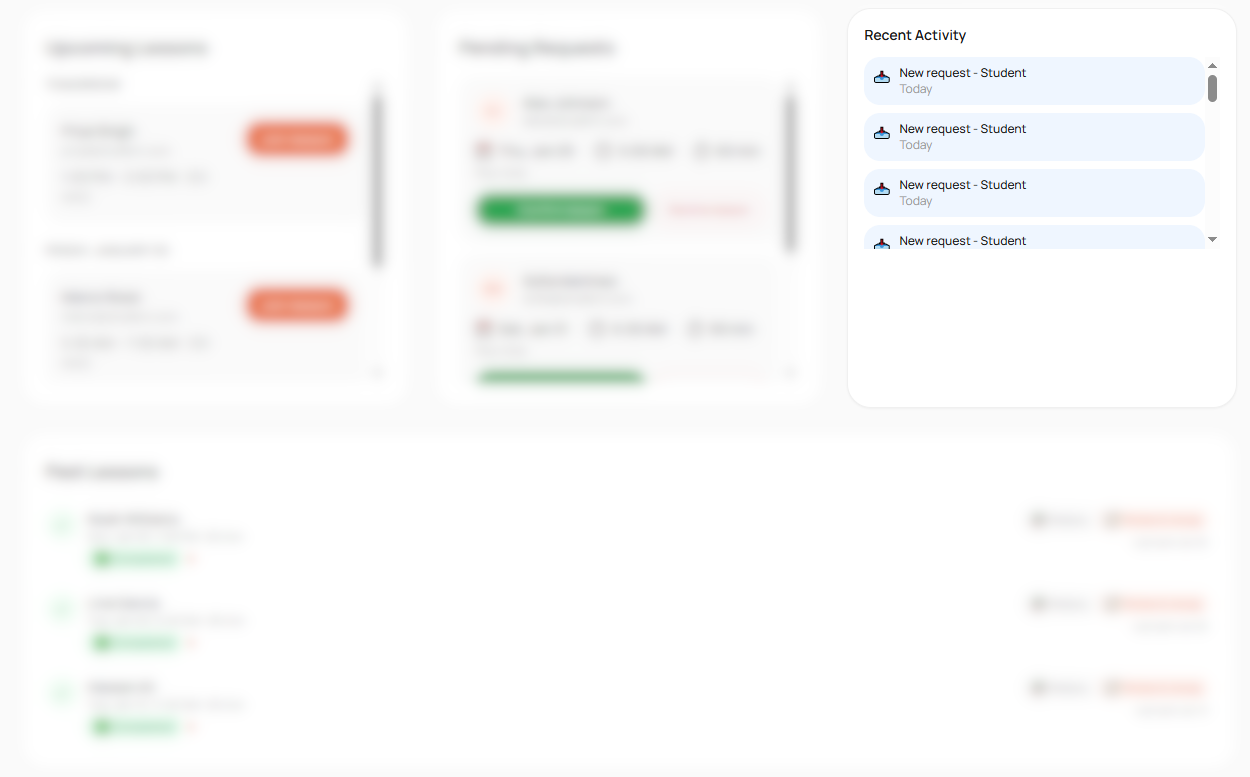
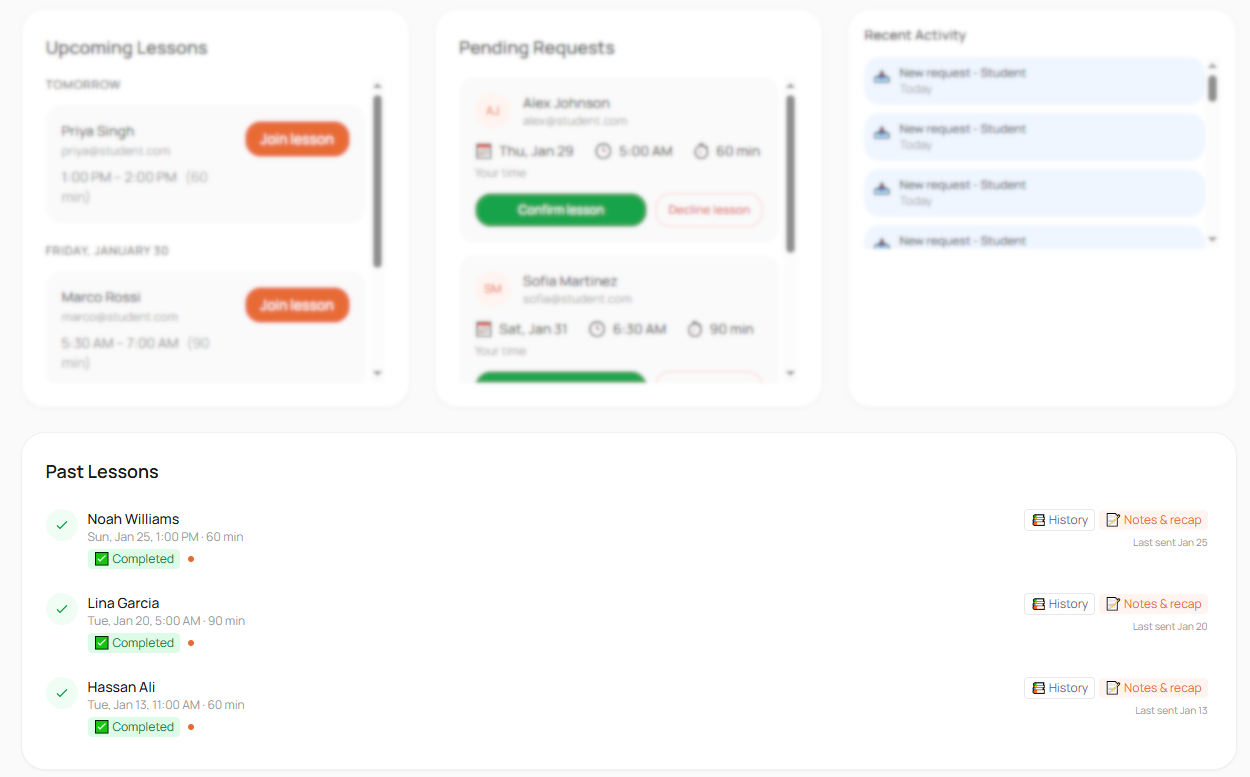
Your dashboard at a glance

Upcoming Pending Activity Past
Dashboard showing upcoming lessons Dashboard showing pending requests Dashboard showing recent activity Dashboard showing past lessons

See all your confirmed lessons in one place. Join sessions with a single click when it's time.

After the Lesson

Keep students on track with notes, recaps, and homework.

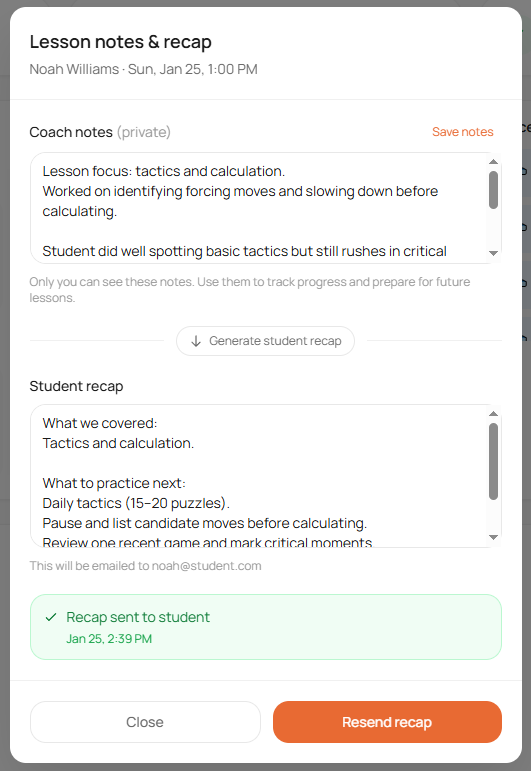
Notes, recaps, and homework

After a lesson, add notes about what was covered and assign homework for the student to complete before the next session.

Send a recap email with one click so students have a record of their progress. Students can view and track homework in their Student Hub.

  • Add private coach notes after each lesson
  • Assign homework with completion tracking
  • Send student recaps with key takeaways
  • Track payment status per lesson (paid, unpaid, waived)
  • View monthly payment totals at a glance
Completed lesson with coach notes and Send recap option

Google Calendar Integration

Connect once. Events and meeting links are created automatically.

Connect your Google account

One-time setup from your settings. We only request calendar access, nothing else.

Events created on confirm

When you confirm a lesson, a calendar event with Google Meet link appears in your calendar.

Updates sync automatically

Reschedule or cancel a lesson, and the calendar event updates or removes itself.

Optional, not required

Google Calendar is helpful but not mandatory. You can use ChessBooker without it.

Everything a Chess Coach Needs

From booking to recap, everything is built for chess coaching.

Live Availability

Students see your open slots in real time, synced with your calendar.

Short Booking Links

One memorable link to share on Lichess, Chess.com, or anywhere.

Recurring Lessons

Set up weekly or biweekly series that auto-generate bookings.

Student Hub

Students get their own dashboard with lessons, homework, and recaps.

Homework Tracking

Assign homework after lessons. Students track and mark complete.

Payment Tracking

Track paid, unpaid, and waived lessons with monthly totals.

Multiple Lesson Types

Offer openings, endgames, game analysis, or custom formats.

Booking Rules

Auto-confirm, minimum notice, buffer time, and request expiration.

Instant Confirmations

Both coach and student are notified by email immediately.

Calendar Sync

Google Calendar events and Meet links created automatically.

Verified Ratings

Link your Lichess or Chess.com account to show verified ratings on your booking page.

Student Rescheduling

Students can request reschedules from your available time slots.

Frequently Asked Questions

Yes. The pilot is completely free. We're gathering feedback from coaches to improve the product before launch.

No problem. When confirming a lesson, you can enter your own meeting link (Zoom, Discord, or any other platform). Google Calendar integration is optional.

Yes. You have full control over which requests you accept. If a time doesn't work or you're not available, decline the request and the student will be notified.

ChessBooker includes a payment tracking dashboard where you can mark lessons as paid, unpaid, or waived and see monthly totals. You handle actual payment collection through your preferred method (PayPal, bank transfer, etc.). Integrated payment processing is on the roadmap.

No. Students only see the availability windows you set in your schedule. Your actual Google Calendar events remain private.

You can reschedule to a new time or cancel entirely from your dashboard. Students can also request reschedules from your available slots through their Student Hub. The other party receives a notification, and your Google Calendar event updates automatically.

No account or download needed to book a lesson. After their first booking, students can access a Student Hub via a magic link sent to their email — where they can view upcoming lessons, track homework, and review past recaps.

Yes. From your dashboard, you can create a recurring lesson series (weekly or biweekly) for any student. ChessBooker automatically generates upcoming bookings, creates calendar events, and sends notifications — so you don't have to rebook manually each week.

Yes. We only request calendar access (not email or other data). Your credentials are stored securely and you can disconnect anytime from Settings.

Simple, Transparent Pricing

Final pricing is being finalized. Waitlist coaches lock in early access rates.

Join the Pilot

We're looking for chess coaches to try ChessBooker and share feedback.

Request Pilot Access

No spam. We'll only email you about pilot access.